

The Construction Intelligence Platform
Everything Starts with the Drawing.
FrameTrace turns construction drawings into the operating system for your project, connecting every document, decision, and field activity in one place. Search the entire project, understand every space, and move from information to action without digging through disconnected files and platforms.

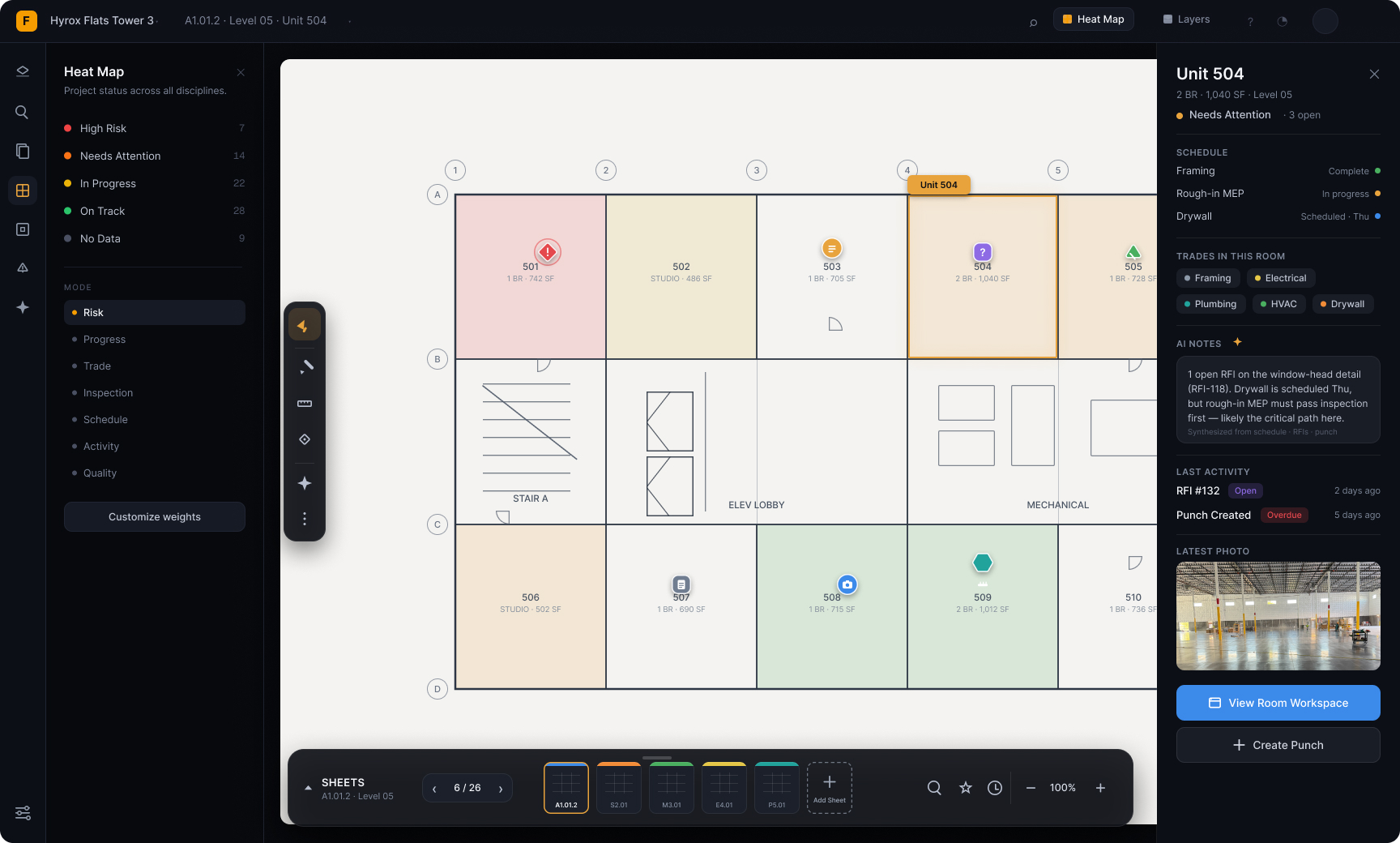
Run the project from the drawing.
Construction teams work across drawings, specifications, RFIs, submittals, schedules, photos, notes, and field reports.FrameTrace brings that information together and connects it to the rooms, systems, objects, and locations where the work actually happens.
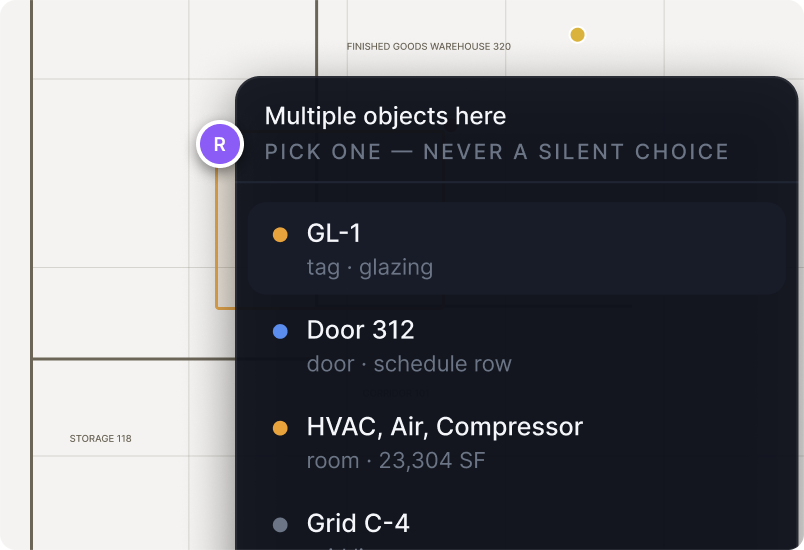
Drawings become interactive.
Move through rooms, details, equipment, and sheet references without manually searching PDFs.
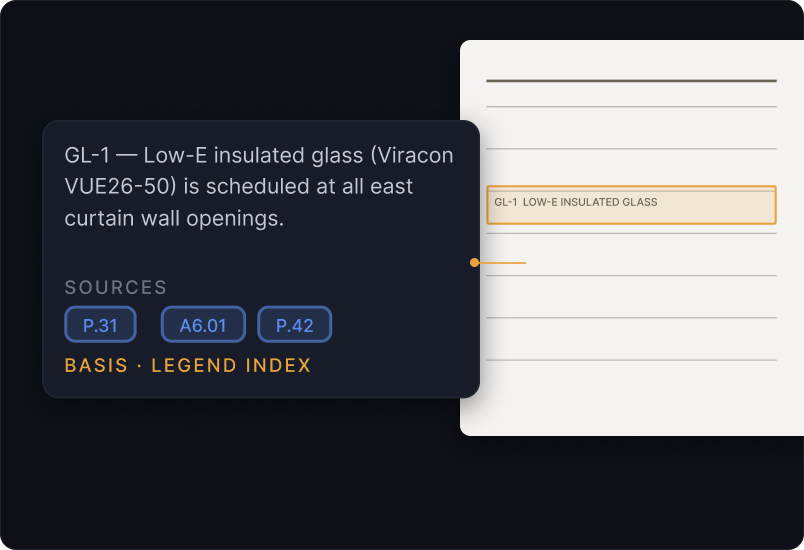
Project knowledge becomes searchable.
Ask questions across every connected drawing and document using natural language.
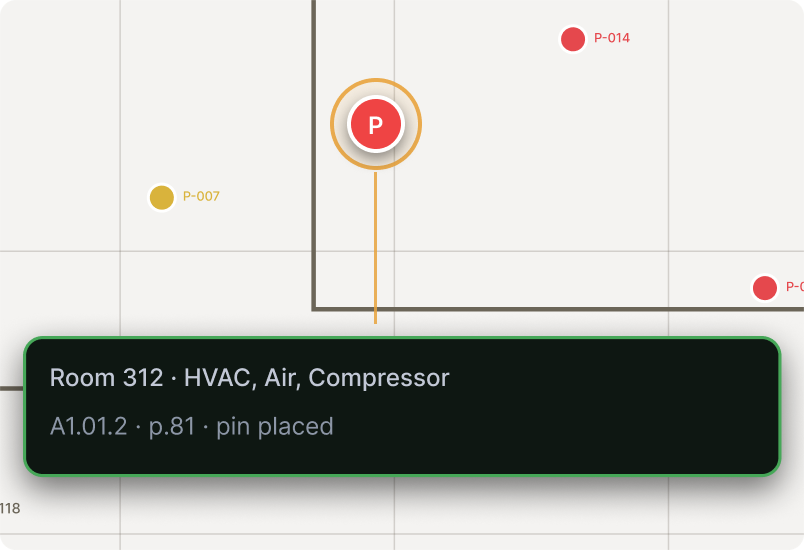
Field activity stays spatially connected.
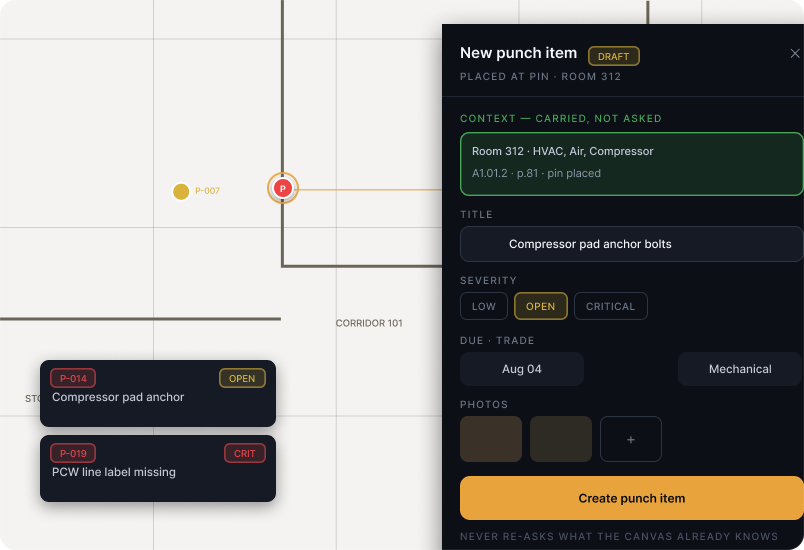
Photos, punch items, inspections, notes, and issues remain attached to their exact project location.
Track work where it actually happens.
Fintech is its potential to promote financial inclusion. In many parts of the world, millions of people lack access to traditional banking services.
Built Around the Project
Everything your team needs, connected through one platform.


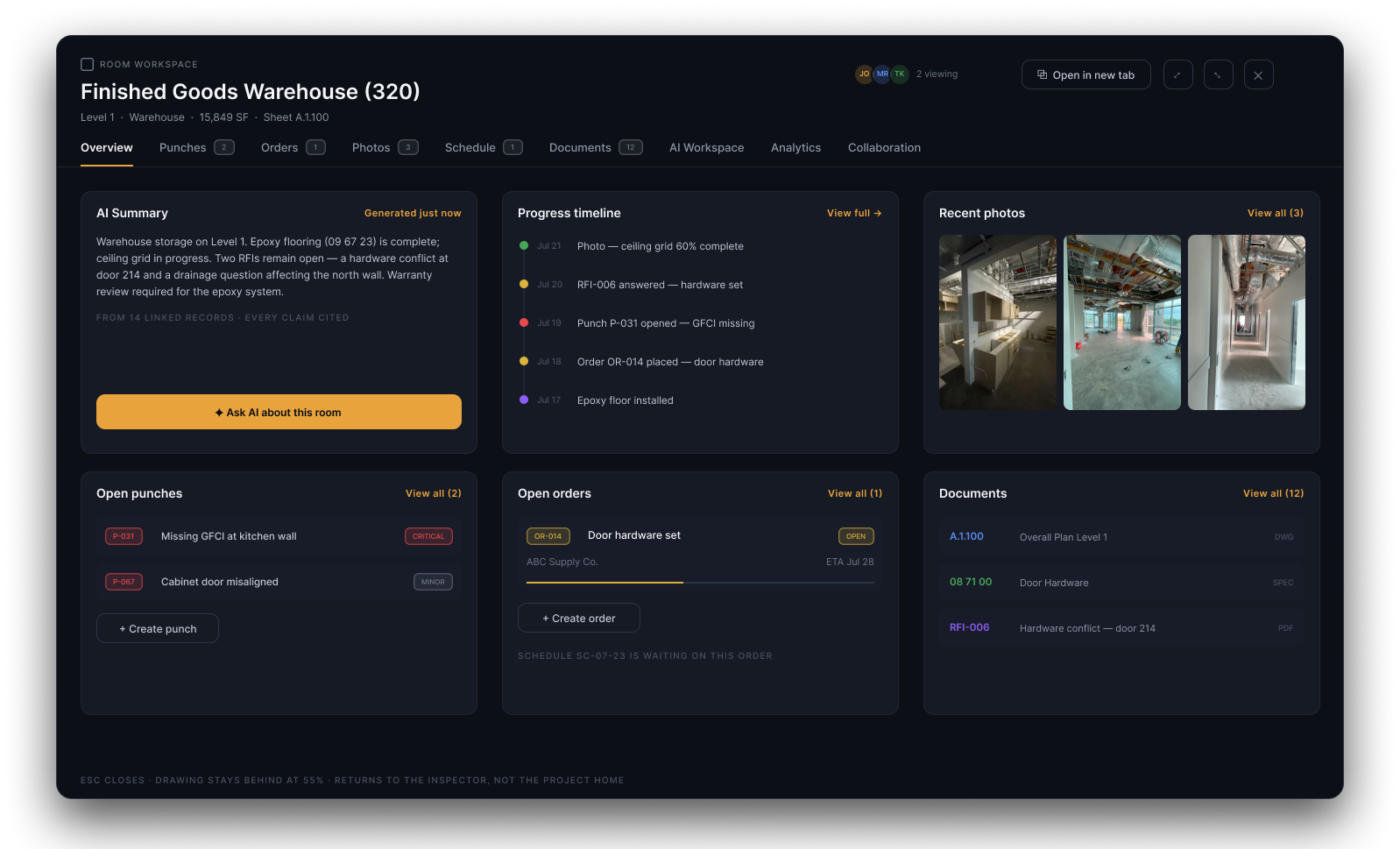
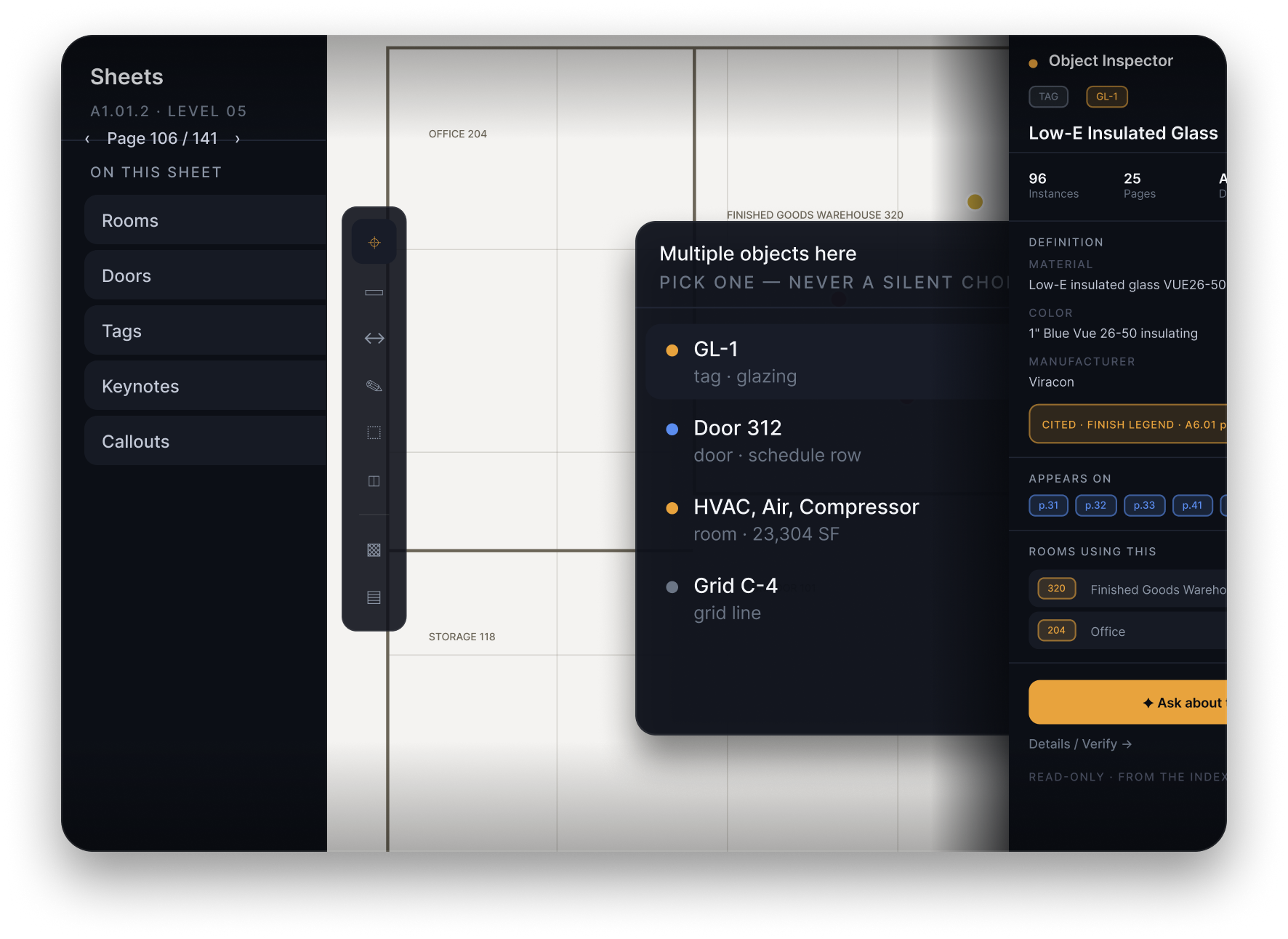
Interactive Drawings
Click rooms, doors, equipment, details, sheet references, and building elements to reveal the information connected to them.
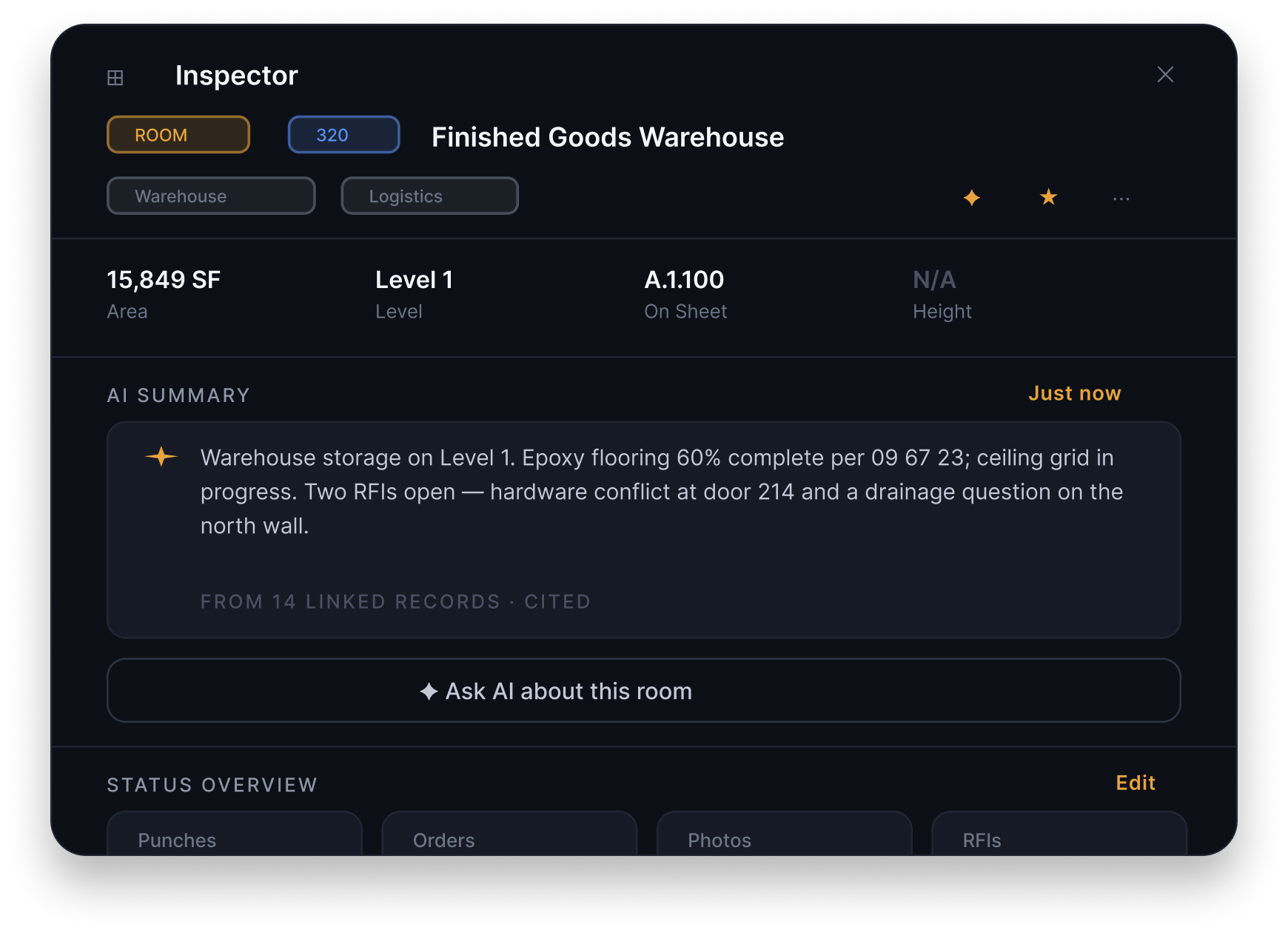
Project Intelligence
Ask questions across drawings, specifications, RFIs, submittals, schedules, reports, and field records.FrameTrace returns answers grounded in the project information your team already has.
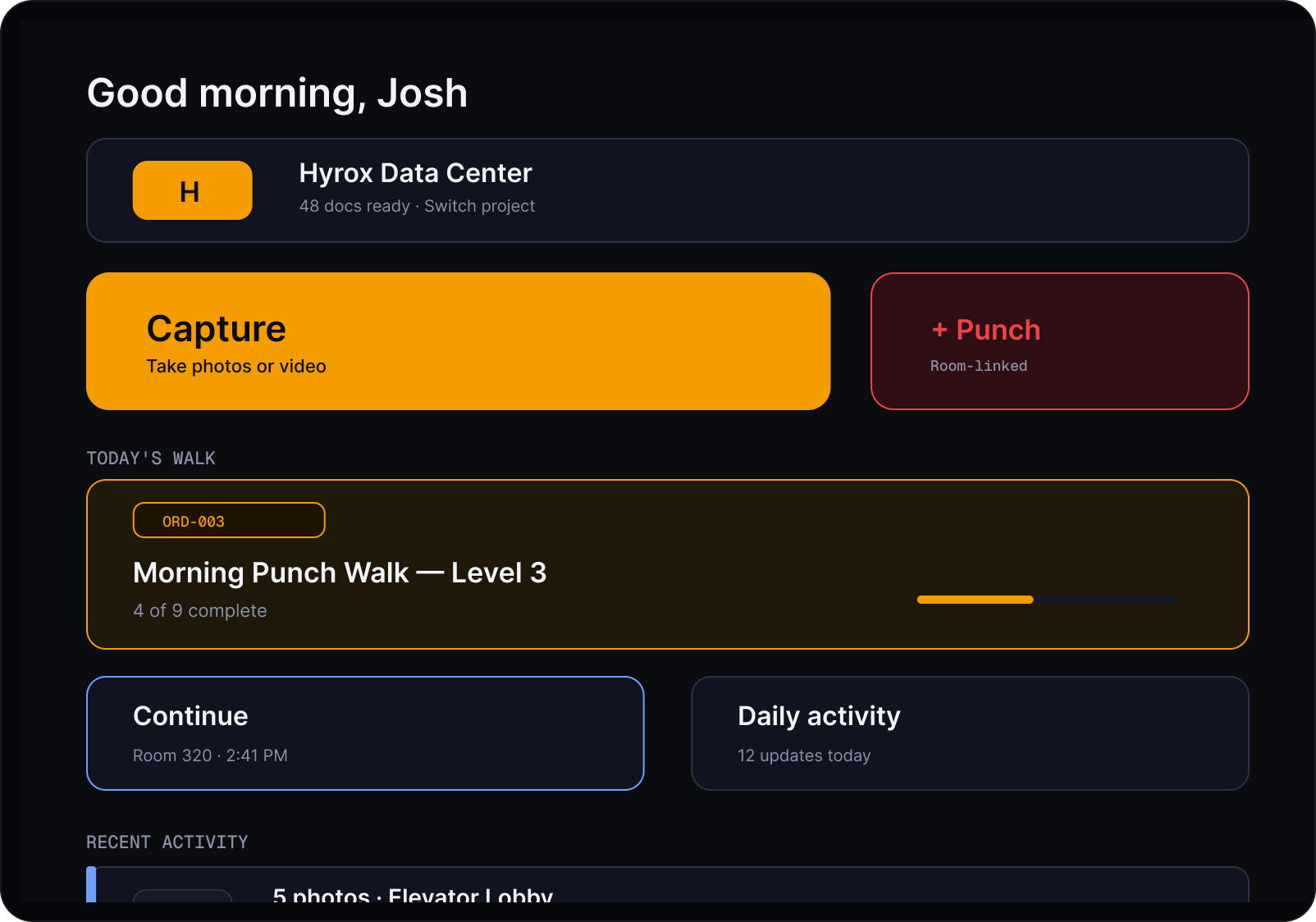
Connected Field Data
Keep photos, punch items, inspections, issues, notes, and progress attached to where the work occurred.
One platform. Multiple construction workspaces.
FrameTrace gives every major project workflow its own focused workspace while keeping everything connected to the same project intelligence layer.

Drawings Spatial Layer
Explore sheets, rooms, details, objects, markups, and spatial project records.

Documents
Manage specifications, reports, schedules, submittals, RFIs, and supporting records.

Calendar
Coordinate inspections, milestones, meetings, deadlines, and scheduled work.

FrameTrace Intellegence
Search, summarize, compare, and reason across the connected project.

Takeoffs
Measure, quantify, organize, and trace scope directly from the drawing.

Field Order
Assign work and push real-time to-do lists directly to your field teams.
A Different Way to Organize Construction
Most platforms organize files. FrameTrace organizes the project.
An intuitive interface means can quickly understand how to perform talks without the need for extensive training or guidance.
Traditional Document Platforms
Store files in folders
Treat drawings as static PDFs
Separate project records from location
Depend on manual navigation
Make teams reconstruct context
Treat drawings as static PDFs
Separate project records from location
Depend on manual navigation
Make teams reconstruct context
FrameTrace
Organizes information around the building
Turns drawings into interactive workspaces
Connects records to rooms and locations
Makes the entire project searchable
Preserves context across every workflow
Turns drawings into interactive workspaces
Connects records to rooms and locations
Makes the entire project searchable
Preserves context across every workflow
Track work where it actually happens.
Context That Stays Connected
Project information is more useful when it remains connected to its location. Attach photos, punch items, inspections, RFIs, questions, notes, revisions, measurements, safety observations, and progress updates directly to the drawing.
Spatially Aware
Knows where every room, object, and detail exists—not just what the documents say.
Connected Intelligence
Every drawing, document, photo, RFI, and field update is connected in one workspace.
Secure by design. Controlled by your team.

Secure cloud infrastructure
Built on enterprise-grade cloud infrastructure designed to keep your project data secure, available, and accessible whenever your team needs it.

Role-based permissions
Control access with customizable permissions, ensuring every team member sees only the information and tools relevant to their role.

Private project workspaces
Every project is isolated in its own secure workspace, giving your team complete control over who can view, edit, and collaborate.
Questions?
We're here to assist!
What is FrameTrace?

FrameTrace is the construction intelligence platform that transforms static drawings into an intelligent workspace. It connects drawings, documents, field activity, and project knowledge so your team can find information, understand project status, and collaborate from one place.
What types of documents does FrameTrace support?
FrameTrace supports PDFs, CAD drawings (DWG), construction drawing sets, specifications, RFIs, submittals, schedules, reports, punch lists, field notes, inspections, progress photos, and other project documentation. As new information is added, it becomes part of the same connected project workspace.
How does FrameTrace help my team?
FrameTrace uses AI to understand your construction documents, answer project questions, summarize information, and connect related records. Every response is grounded in your project's drawings and documents, helping teams find accurate information faster.
Is my project data secure?
Yes. Every project is stored in a private workspace with enterprise-grade cloud infrastructure, role-based permissions, and secure access controls. Your team decides who can view, edit, and collaborate on each project.
Who is FrameTrace built for?
FrameTrace is designed for general contractors, subcontractors, owners, architects, engineers, project managers, superintendents, estimators, and field teams working on complex construction projects.
Recent blog updates
Fintech is its potential to promote financial inclusion. In many parts of the world, millions of people lack access to traditional banking services.

Stop searching through the project.
FrameTrace turns construction drawings and project information into one intelligent operating system for the entire team.

Your AI-Powered Workflow.
© 2025 All rights reserved, Developed by Arini Studio
Powered by Webflow